# วิธีการเดินทางด้วยเรือเหาะ

## เรือเหาะ (Airship)

### เรือเหาะคืออะไร?

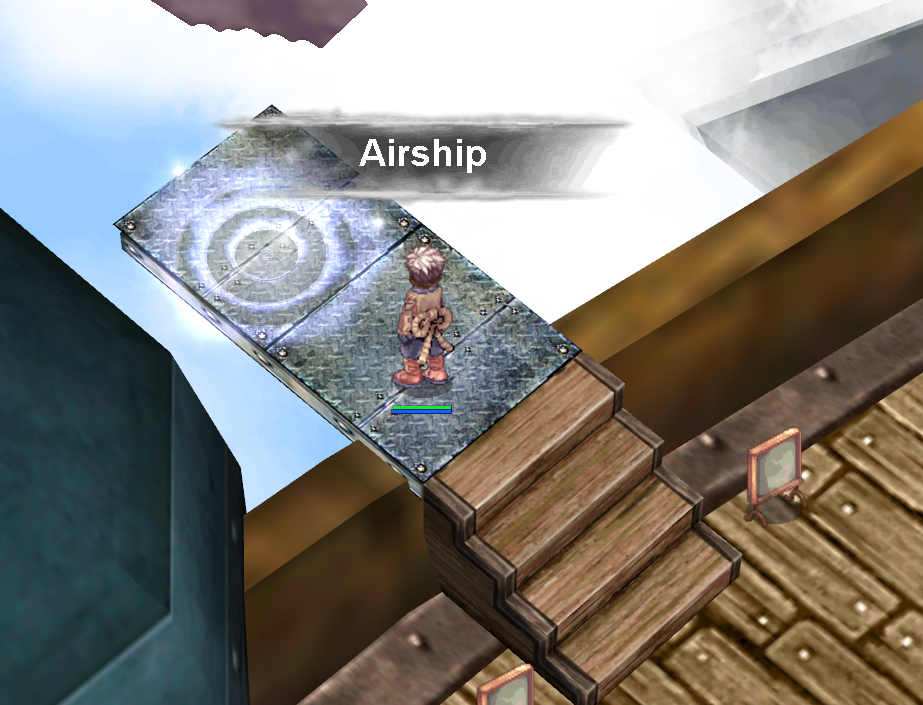
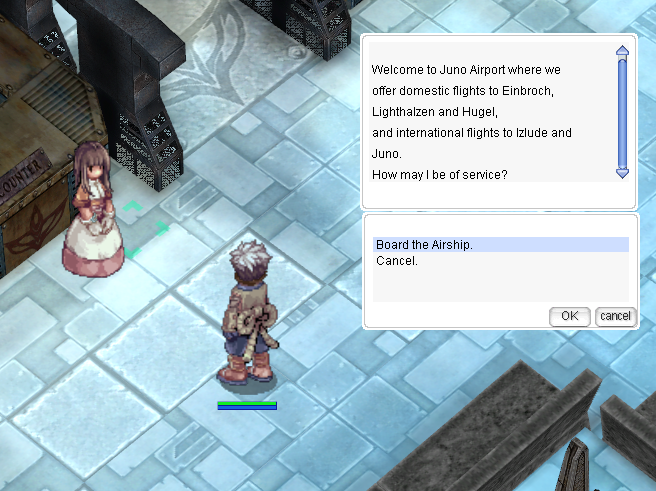
เรือเหาะคือ เรือที่บินลัดเลาะไปตามท้องฟ้า เชื่อมต่อเมืองต่าง ๆ ในโลกของ Ragnarok Online ช่วยให้การเดินทางสะดวก NPC เรือเหาะในจูโน่ สามารถทำให้คุณเดินทางระยะไกลกว่าไปยังหลายเมืองอื่น ๆ ได้ทันทีในราคา 1,800 Zeny และ คำว่า "Airship" อาจหมายถึง NPC นี้ด้วย

### การขึ้นเรือเหาะ

**ราคา:**

* สำหรับการขึ้นเรือเหาะในแต่ละครั้ง จะราคาอยู่ที่ 1,200 Zeny
* การเปลี่ยนจากเรือเหาะลำหนึ่งไปยังอีกลำหนึ่งจะไม่มีค่าใช้จ่ายเพิ่มเติม

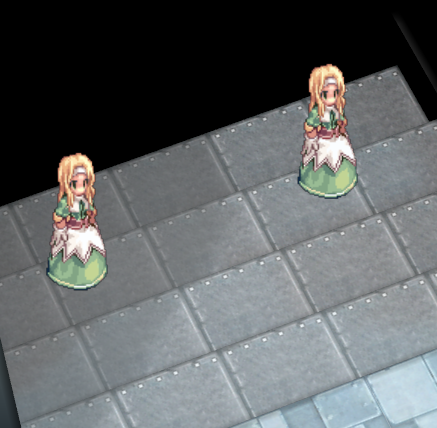
<figure><img src="/files/dItSGRtUXCtWOgcDx74j" alt=""><figcaption><p>Airship staff</p></figcaption></figure>

***

### ท่าเรือเหาะที่ 1 ระหว่างประเทศ : เส้นทางและสถานที่ขึ้นเครื่อง

* **เส้นทางเริ่มจาก** Izlude -> Yuno -> Rachel -> วนซ้ำ

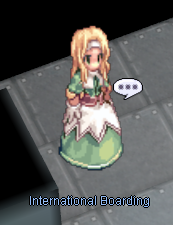
<figure><img src="/files/beHQiGBwGdOYrUJKHgRO" alt=""><figcaption><p>International Boarding</p></figcaption></figure>

คุณสามารถโดยสารเรือเหาะลำนี้ได้จาก:

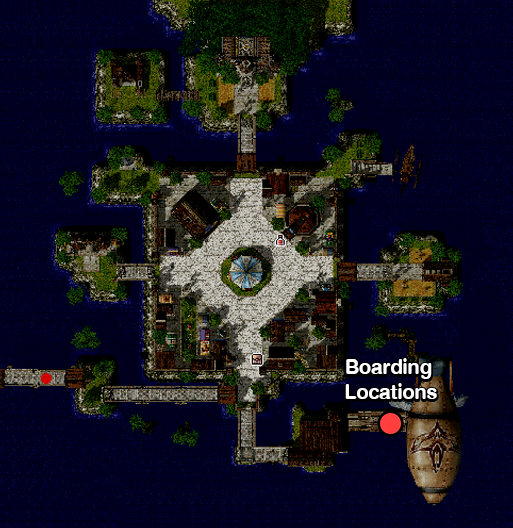
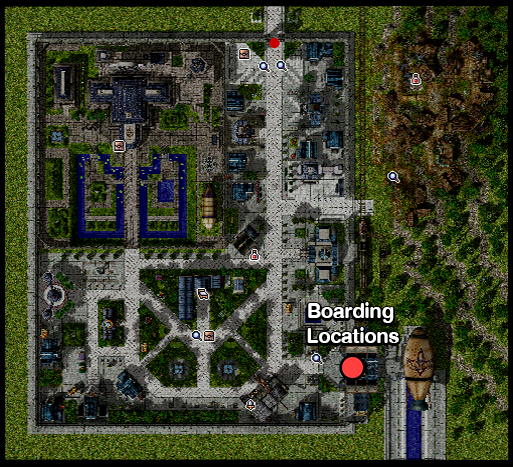
**Izlude**: มุมตะวันออกเฉียงใต้

<figure><img src="/files/OiYMxyGa8u8ful5gN8zh" alt=""><figcaption><p>Izlude Boarding</p></figcaption></figure>

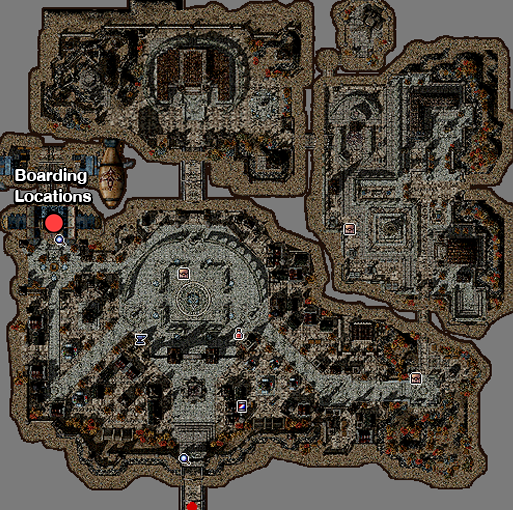
**Yuno**: ฝั่งตะวันตก

<figure><img src="/files/LOUPod09i3lZPQZvwMzn" alt=""><figcaption><p>Yuno Boarding</p></figcaption></figure>

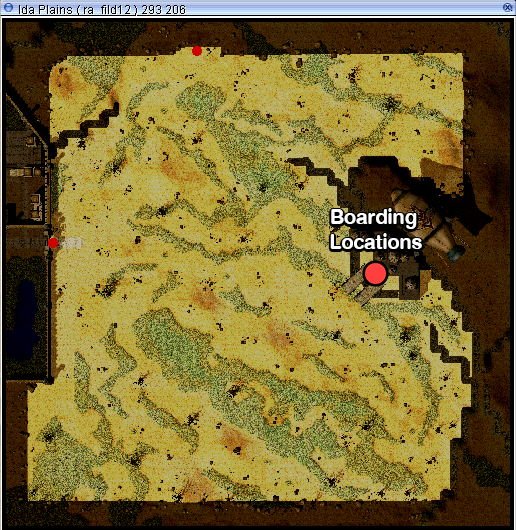
**Rachel**: 1 แผนที่ทางตะวันออกจาก Rachel ที่ ra\_fild12

<figure><img src="/files/M9gaVNklV9lcVpbyiyYR" alt=""><figcaption><p>Rachel Boarding</p></figcaption></figure>

***

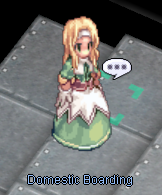
### ท่าเรือเหาะที่ 2 ภายในประเทศ : เส้นทางและสถานที่ขึ้นเครื่อง

* เส้นทางเริ่มจาก Yuno -> Hugel -> Einbroch -> Lighthalzen -> วนซ้ำ

<figure><img src="/files/bykAFc0Yu12OAJPkE2cH" alt=""><figcaption><p>Domestic Boarding</p></figcaption></figure>

สำหรับท่าเรือที่ 2 คุณสามารถโดยสารเรือเหาะลำนี้ได้จาก:

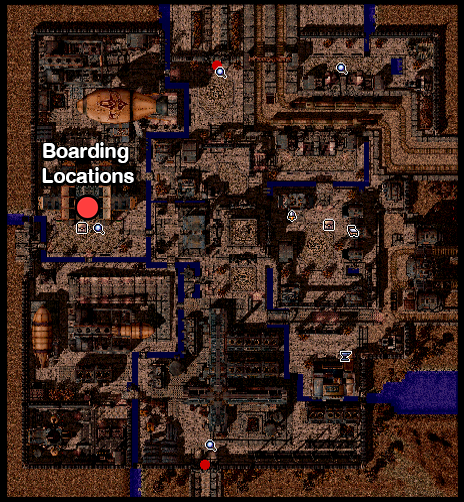
**Yuno**: ฝั่งตะวันตก

<figure><img src="/files/b50jprYz1nqT7IUm0ZPl" alt=""><figcaption><p>Yuno Boarding</p></figcaption></figure>

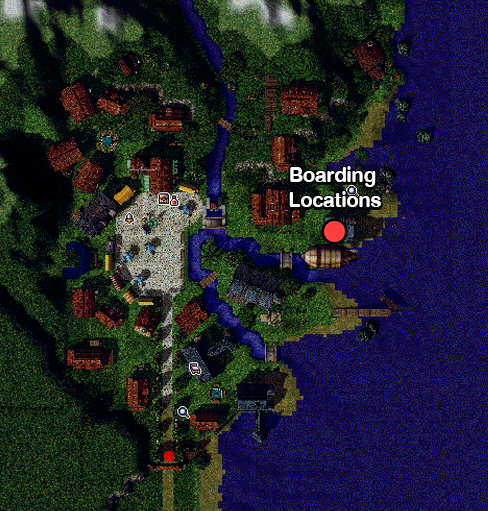
**Hugel**: ฝั่งตะวันออก

<figure><img src="/files/zfiSR3EGrrB0kRYWVRUI" alt=""><figcaption><p>Hugel Boarding</p></figcaption></figure>

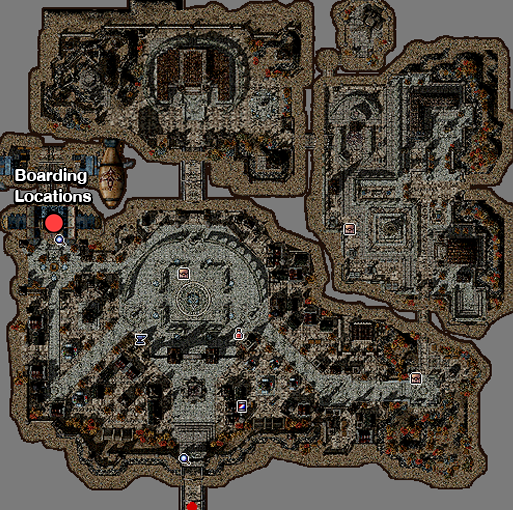
**Einbroch**: ฝั่งตะวันตก

<figure><img src="/files/7GLlzyFkZCRrJbpPzwb3" alt=""><figcaption><p>Einbroch Boarding</p></figcaption></figure>

**Lighthalzen**: มุมตะวันออกเฉียงใต้

<figure><img src="/files/m4eSoKg271SHCbScoyBY" alt=""><figcaption><p>Lighthalzen Boarding</p></figcaption></figure>

***

### การเลือกเรือเหาะใน Yuno

* อาคารผู้โดยสารเรือเหาะ Yuno:
  * ภายในอาคารผู้โดยสาร คุณสามารถเลือกได้ระหว่างเรือเหาะ 1 ระหว่างประเทศและเรือเหาะ 2 ในประเทศ
  * **NPC**:
    * NPC ทางด้านซ้ายจะส่งคุณไปที่บันไดที่นำไปสู่เรือเหาะ 1 ระหว่างประเทศ
    * NPC ทางด้านขวาจะส่งคุณไปที่บันไดที่นำไปสู่เรือเหาะ 2 ภายในประเทศ
  * คำแนะนำ:
    * คำแนะนำ เดินขึ้นบันไดเพื่อขึ้นเรือเหาะที่เลือก

<figure><img src="/files/uiBZ2WF9BcMvtSoMHNS8" alt=""><figcaption><p>Choosing the Airship in Yuno.</p></figcaption></figure>

### เปลี่ยนจากเรือเหาะ 1 ระหว่างประเทศเป็นเรือเหาะ 2 ภายในประเทศ

* หลังจากลงจากเรือเหาะ 1 ระหว่างประเทศ ใน Yuno แล้ว
  * ลงไปชั้นล่างในอาคารผู้โดยสาร
  * พูดคุยกับเจ้าหน้าที่ทางด้านขวาเพื่อขึ้นเรือเหาะ 2 ในประเทศ

<figure><img src="/files/RHy9pTr4nBoPDgzxOsKo" alt=""><figcaption><p>Switching from Airship 1 to Airship 2</p></figcaption></figure>

### ประกาศและการออกจากเรือเหาะ

* **ประกาศ:**
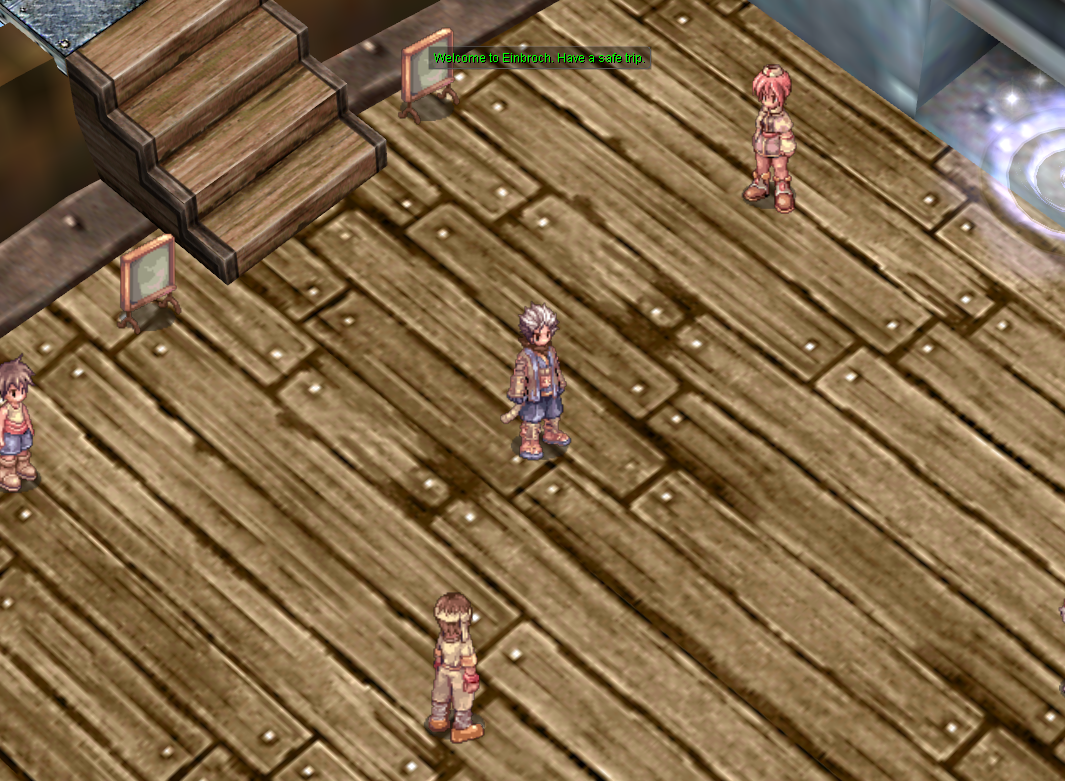
  * จะมีประกาศเมื่อเรือเหาะถึงเมือง
  * ฟังประกาศเหล่านี้เพื่อทราบว่าคุณมาถึงจุดหมายปลายทางแล้ว

<figure><img src="/files/hYm9oPLu2lgas68aj2pK" alt=""><figcaption></figcaption></figure>

* **ทางออก:**
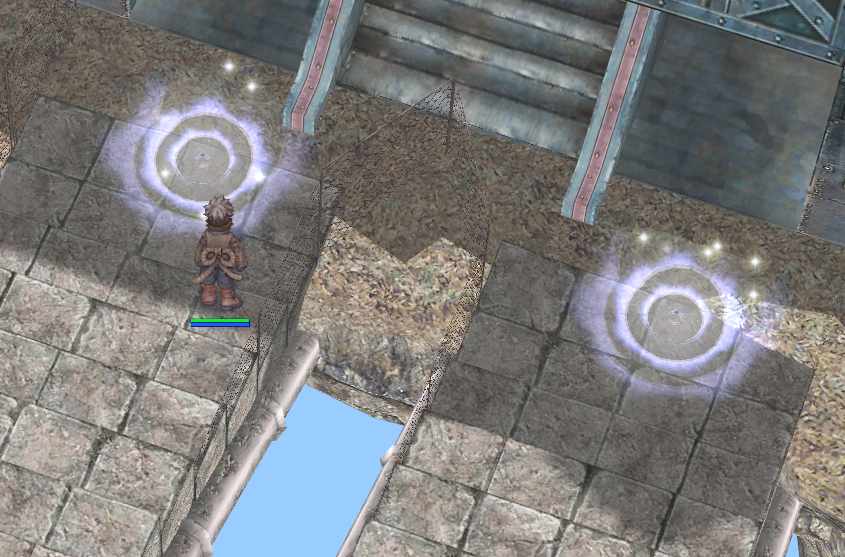
  * หากคุณต้องการลงจากเมืองใดเมืองหนึ่ง ให้เดินไปที่วาร์ปพอร์ทัลเมื่อมีการประกาศ
  * ก้าวผ่านวาร์ปเพื่อออกจากเรือเหาะและเข้าเมืองทันที

<figure><img src="/files/2VtAuRS0CvHaYvBJRJNc" alt=""><figcaption><p>Exit the airship.</p></figcaption></figure>


---

# Agent Instructions: Querying This Documentation

If you need additional information that is not directly available in this page, you can query the documentation dynamically by asking a question.

Perform an HTTP GET request on the current page URL with the `ask` query parameter:

```
GET https://maxion-1.gitbook.io/ragnarok-landverse-th/game-guide/novice/undefined-4.md?ask=<question>
```

The question should be specific, self-contained, and written in natural language.
The response will contain a direct answer to the question and relevant excerpts and sources from the documentation.

Use this mechanism when the answer is not explicitly present in the current page, you need clarification or additional context, or you want to retrieve related documentation sections.