> For the complete documentation index, see [llms.txt](https://maxion-1.gitbook.io/ragnarok-landverse-th/llms.txt). Markdown versions of documentation pages are available by appending `.md` to page URLs; this page is available as [Markdown](https://maxion-1.gitbook.io/ragnarok-landverse-th/blockchain/undefined/ragnarok-landverse-thailand.md).
# วิธีการสมัครบัญชี Ragnarok Landverse Thailand
บัญชี Ragnarok Landverse ช่วยให้คุณเข้าถึงระบบต่าง ๆ ของเราและทำสิ่งอื่นได้ เช่น
* เล่นเกม Ragnarok Landverse
* ซื้อขาย NFTs ผ่าน marketplace ของเรา
ขั้นตอนการสมัครบัญชี Ragnarok Landverse
1. **เข้าสู่เว็บไซต์:** เปิดเว็บเบราว์เซอร์ที่คุณใช้งานและไปที่
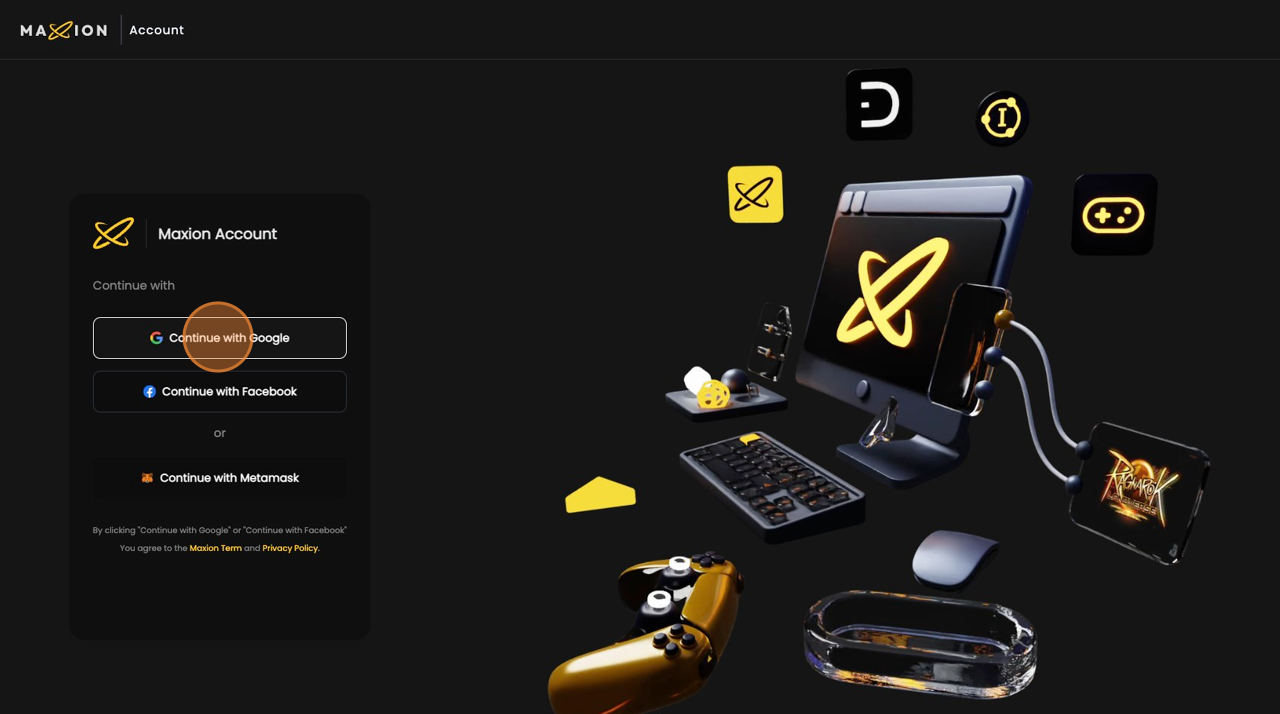
2. **ลงชื่อเข้าใช้ด้วย Google:** คลิกที่ปุ่ม "Continue with Google" เพื่อใช้บัญชี Google ของคุณในการลงชื่อเข้าใช้
 3. **เลือกเกม:** หลังจากลงชื่อเข้าใช้สำเร็จ คลิกที่ "Ragnarok Landverse TH" เพื่อเลือกเกมที่คุณต้องการสร้างบัญชี
 4. **สร้างบัญชี:** คลิกที่ปุ่ม "Create Account (0/3)" เพื่อเริ่มกระบวนการสร้างบัญชีใหม่
{% hint style="info" %}
1 Email สามารถสมัครไอดีได้สูงสุด 3 ไอดี
{% endhint %}
4. **สร้างบัญชี:** คลิกที่ปุ่ม "Create Account (0/3)" เพื่อเริ่มกระบวนการสร้างบัญชีใหม่
{% hint style="info" %}
1 Email สามารถสมัครไอดีได้สูงสุด 3 ไอดี
{% endhint %}
 5. **กรอกข้อมูลชื่อผู้ใช้:** และกรอกชื่อผู้ใช้และรหัสผ่านที่คุณต้องการ ชื่อผู้ใช้นี้จะเป็นชื่อผู้ใช้สำหรับเข้าสุ้ระบบเกมที่คุณใช้
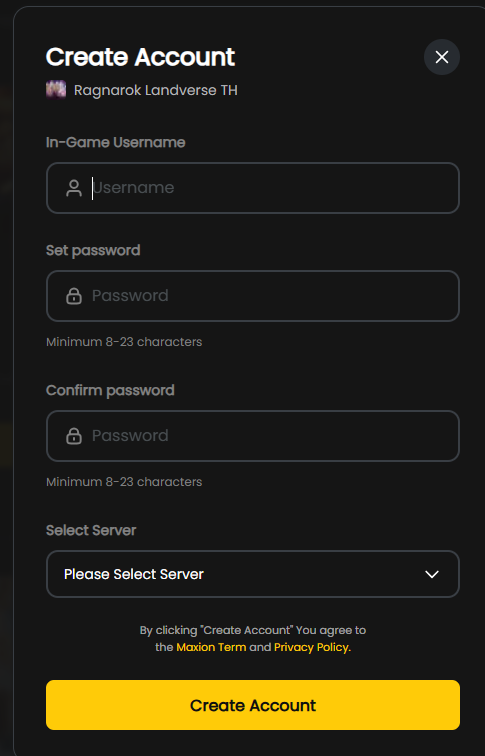 6. **ยืนยันการสร้างบัญชี:** หลังจากกรอกชื่อผู้ใช้แล้ว คลิกที่ปุ่ม "Create Account" เพื่อดำเนินการสร้างบัญชี
{% hint style="warning" %}
ข้อควรระวัง: กรุณาตรวจเช็ค Server ที่กำลังสมัคร
{% endhint %}
6. **ยืนยันการสร้างบัญชี:** หลังจากกรอกชื่อผู้ใช้แล้ว คลิกที่ปุ่ม "Create Account" เพื่อดำเนินการสร้างบัญชี
{% hint style="warning" %}
ข้อควรระวัง: กรุณาตรวจเช็ค Server ที่กำลังสมัคร
{% endhint %}
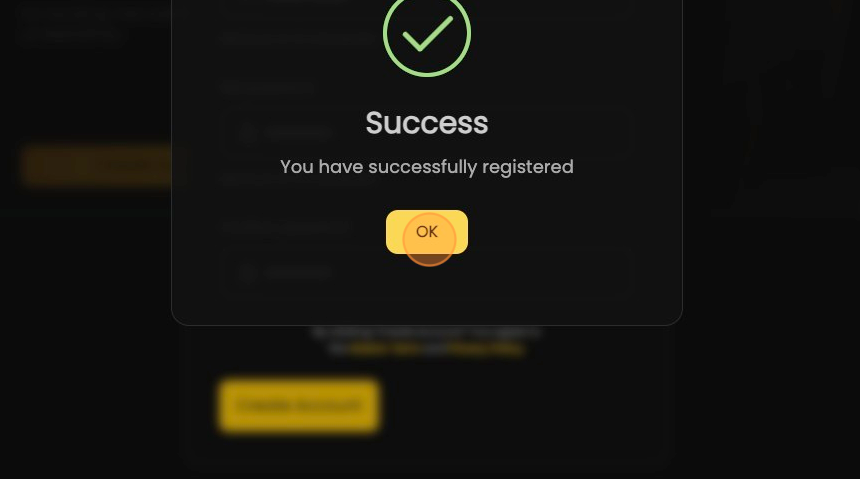
 7. **ยืนยันการเสร็จสิ้น:** เมื่อสร้างบัญชีเสร็จสิ้น ระบบจะแจ้งให้คุณทราบ คลิกที่ "OK" เพื่อยืนยัน
 8. **กลับไปยังเกม:** คลิกที่ "Ragnarok Landverse TH" เพื่อกลับไปยังเกมและเริ่มเล่นได้ทันที
 หลังจากลงทะเบียนบัญชี Ragnarok Landverse สำเร็จแล้ว คุณจะสามารถใช้บัญชีดังกล่าวเพื่อเล่นเกมได้