> For the complete documentation index, see [llms.txt](https://maxion-1.gitbook.io/ragnarok-landverse-america/llms.txt). Markdown versions of documentation pages are available by appending `.md` to page URLs; this page is available as [Markdown](https://maxion-1.gitbook.io/ragnarok-landverse-america/token-economy/nft-marketplace/how-to-sell-nfts-in-marketplace.md).

# How to sell NFTs in Marketplace

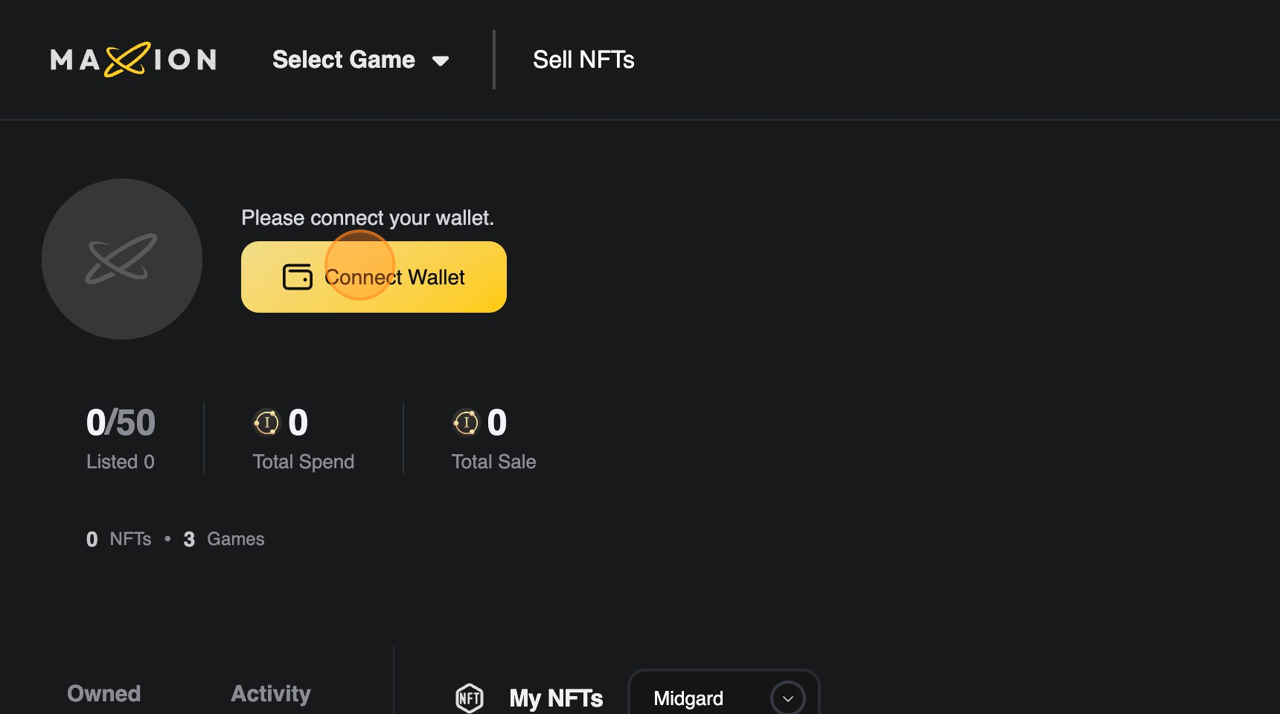
To sell an item in the marketplace, Navigate to Navigate to \[Marketplace (Coming Soon)] and click on the \[Sell NFTs] on top of the page .&#x20;

* Click on \[Connect Wallet] and Proceed with Ronin wallet Notification

<figure><img src="https://content.gitbook.com/content/rLJoho6XDiaRSq8H6gy3/blobs/Kmkfz2EqsDJVT3mFpxxw/Listanitemforsaleonadigitalmarketplace_PDF_2024-06-08094249.371802.pdf-image-003.png" alt="" width="563"><figcaption></figcaption></figure>

* Select the Ronin Wallet bound to the Ragnarok Landverse game account.
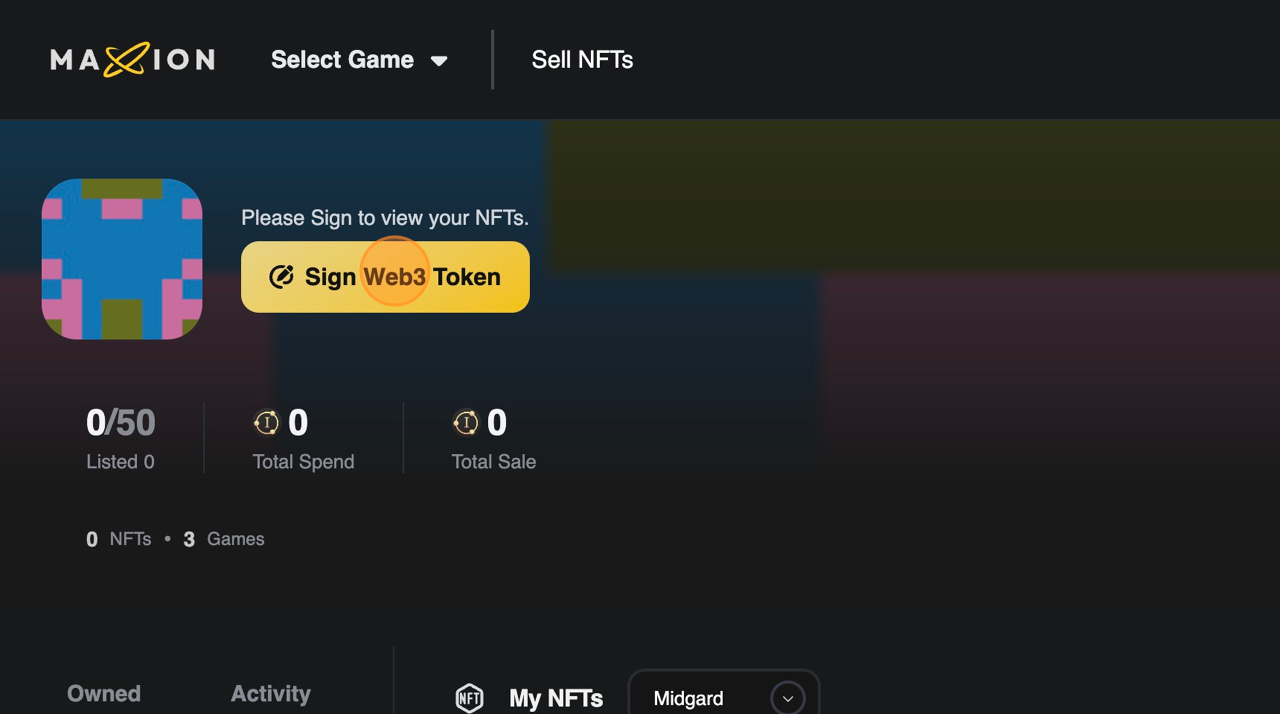
* Sign Web3 Token as needed.

<figure><img src="https://content.gitbook.com/content/rLJoho6XDiaRSq8H6gy3/blobs/NPFq5RrCeGmRuCtX2nwB/Listanitemforsaleonadigitalmarketplace_PDF_2024-06-08094249.371802.pdf-image-004.png" alt="" width="563"><figcaption></figcaption></figure>

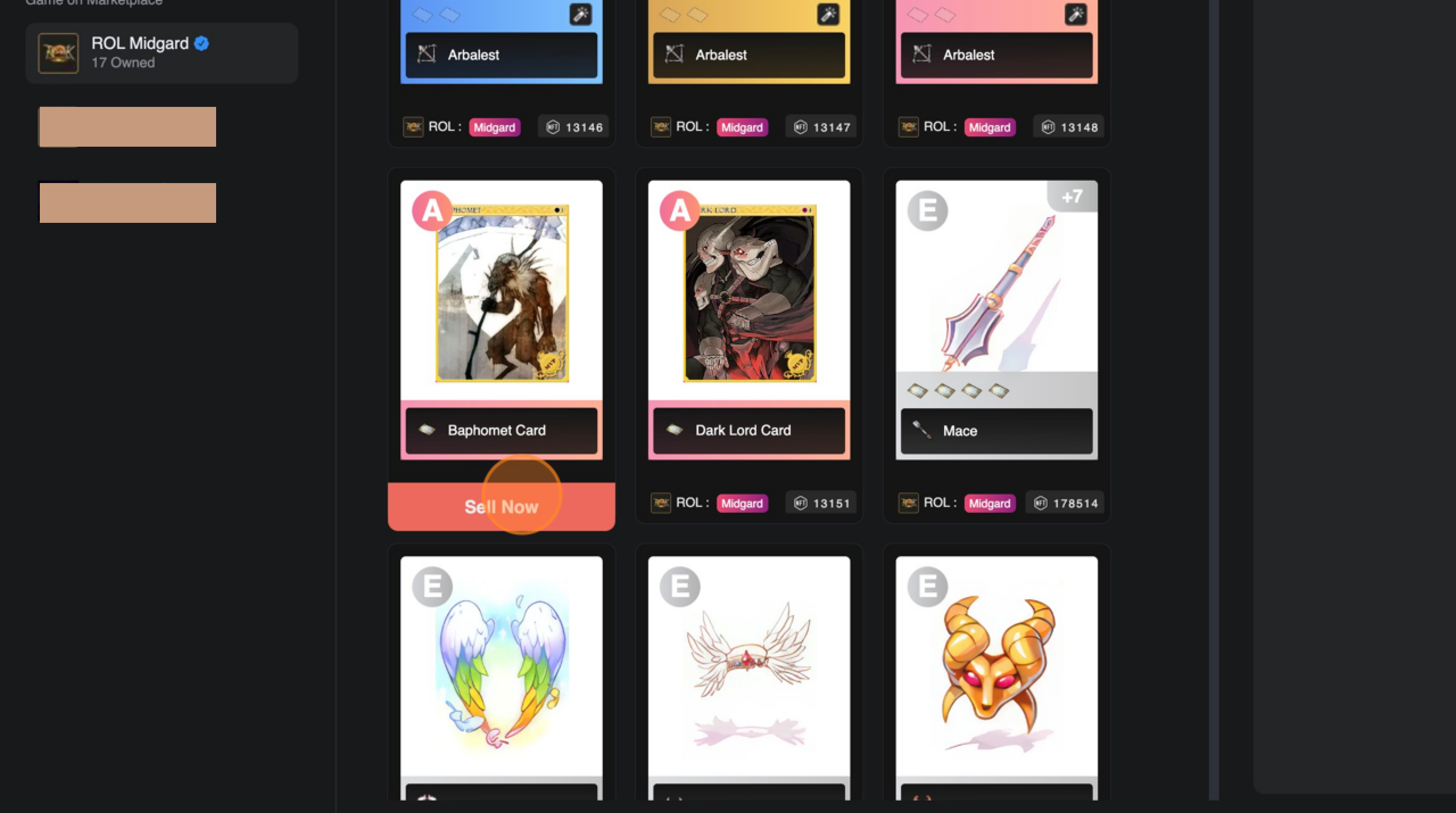
* After browsing the item you would like sell, click on \[Sell Now] to begin listing.

<figure><img src="https://content.gitbook.com/content/rLJoho6XDiaRSq8H6gy3/blobs/GSaJQ9FV8XPJIkCfSMkk/2024-06-08_17-04-24.png" alt="" width="563"><figcaption></figcaption></figure>

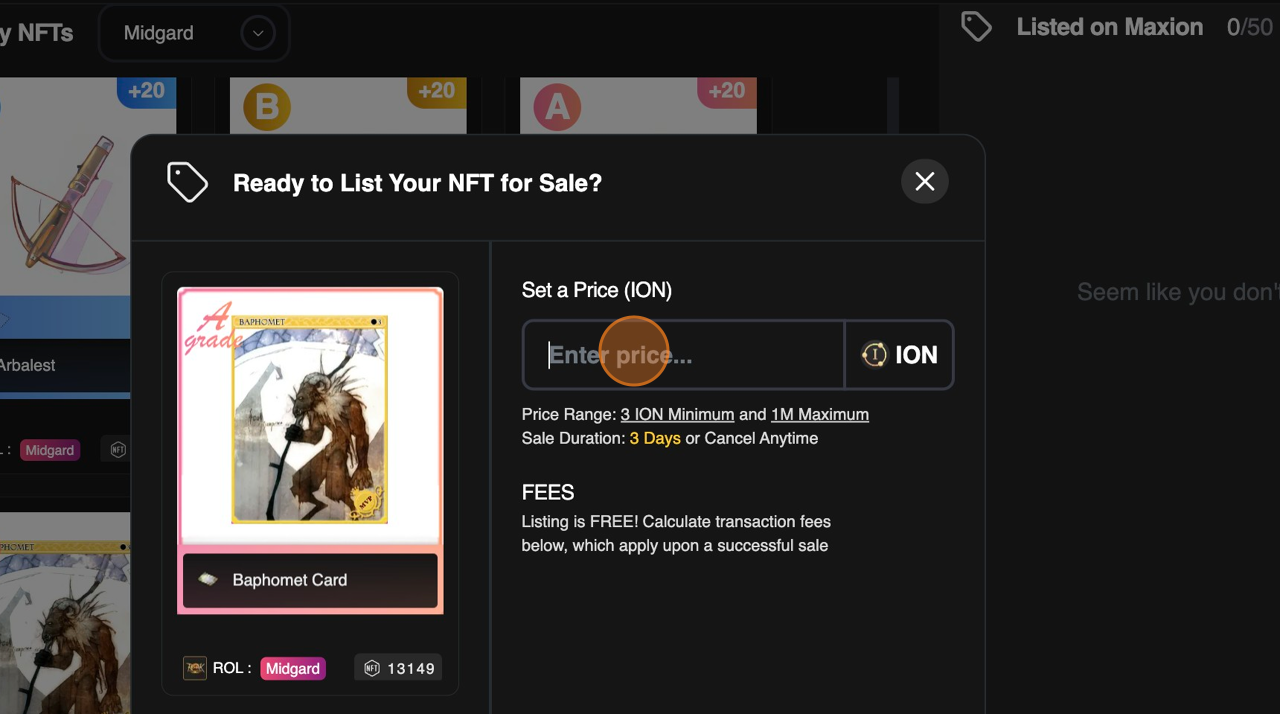
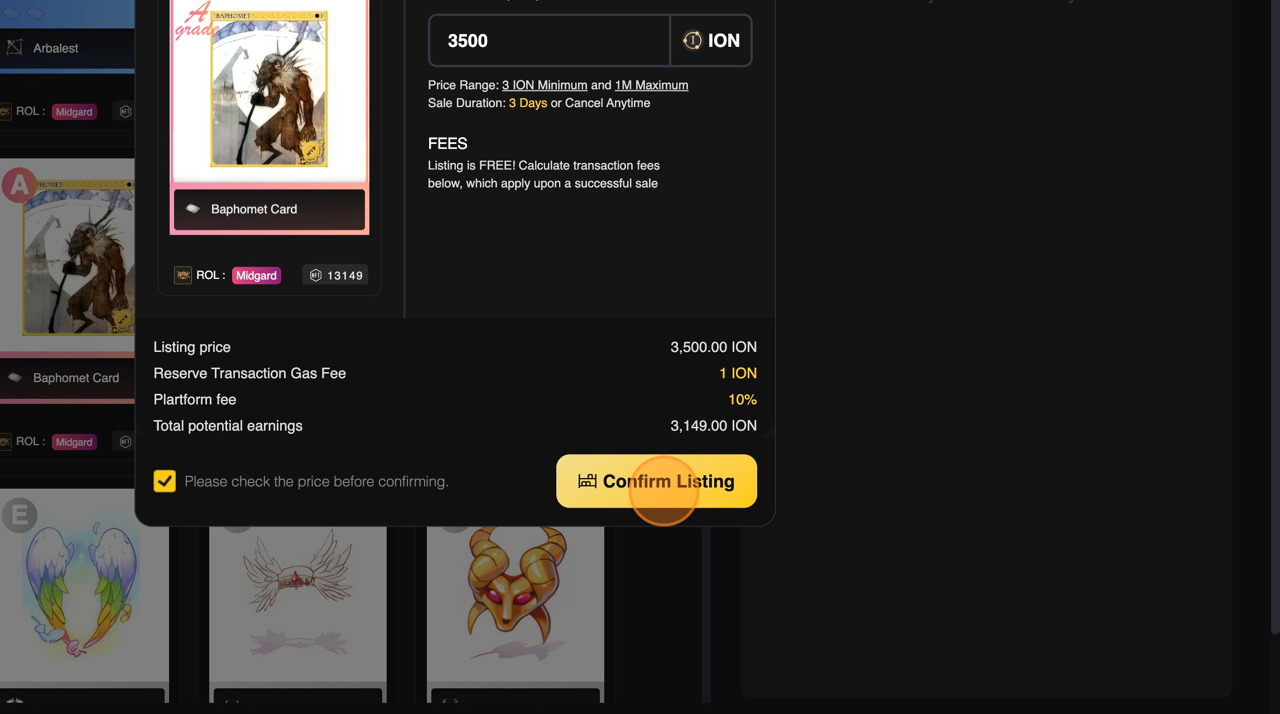
* Set the price you would like to list your item for sale.

<figure><img src="https://content.gitbook.com/content/rLJoho6XDiaRSq8H6gy3/blobs/lMJ0Aam2AXU1aYhKloRT/Listanitemforsaleonadigitalmarketplace_PDF_2024-06-08094249.371802.pdf-image-006.png" alt="" width="563"><figcaption></figcaption></figure>

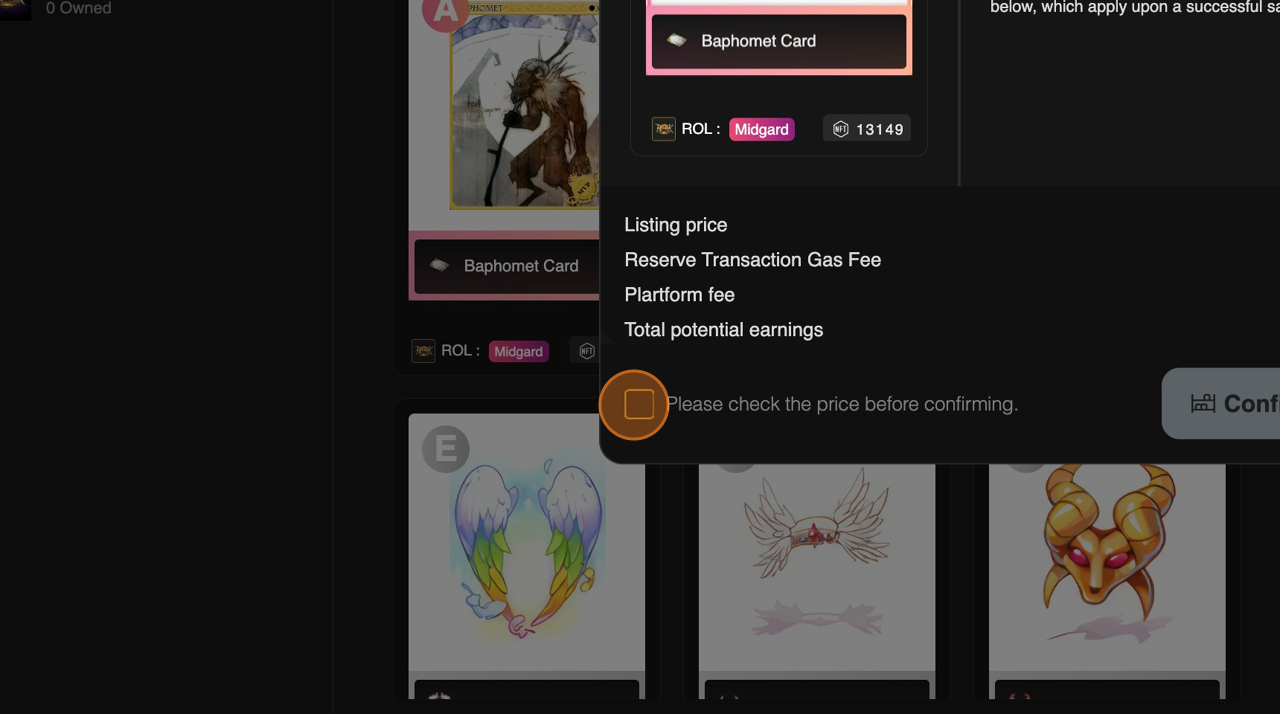
* Check the checkbox to confirm that you have checked the price before proceed listing

<figure><img src="https://content.gitbook.com/content/rLJoho6XDiaRSq8H6gy3/blobs/Jdpco4LcdgDg3cFPaRdw/Listanitemforsaleonadigitalmarketplace_PDF_2024-06-08094249.371802.pdf-image-007.png" alt="" width="563"><figcaption></figcaption></figure>

* Click on \[Confirm Listing] to list your item in the Marketplace.

<figure><img src="https://content.gitbook.com/content/rLJoho6XDiaRSq8H6gy3/blobs/3NS7B00JKJdXlhNelPXS/Listanitemforsaleonadigitalmarketplace_PDF_2024-06-08094249.371802.pdf-image-008.png" alt="" width="563"><figcaption></figcaption></figure>

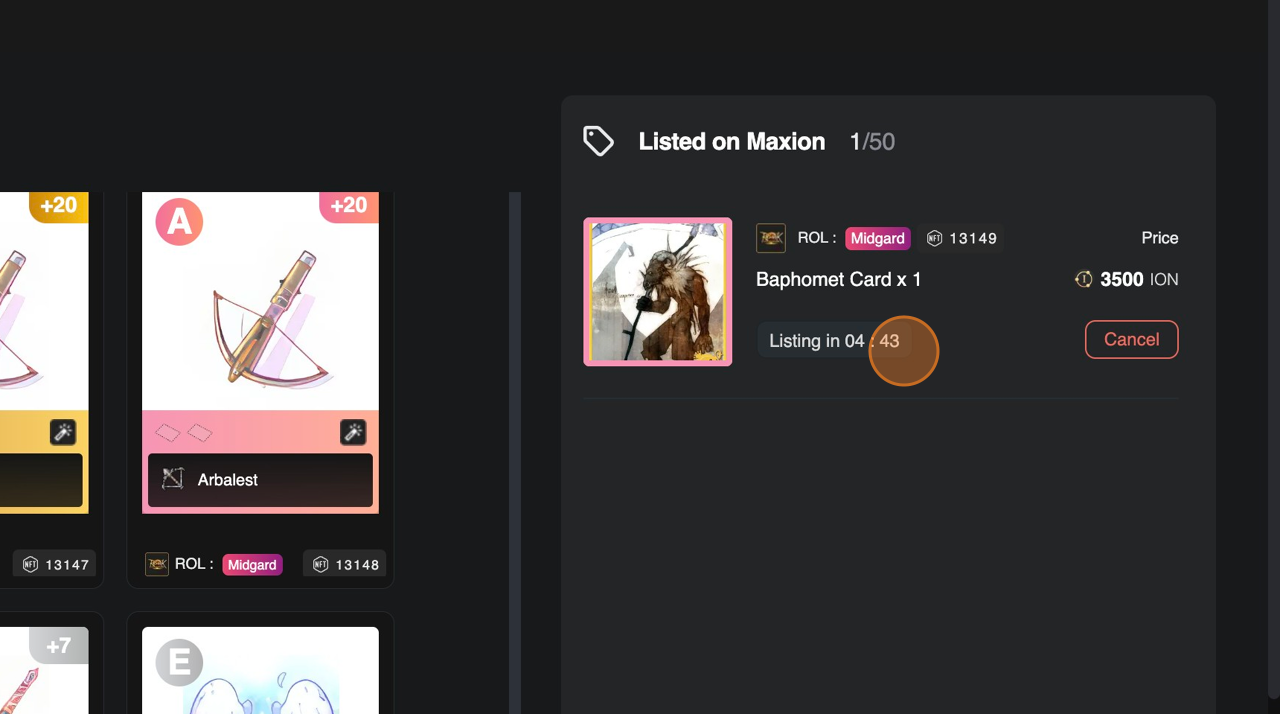
* Listed item will be shown on \[Listed on Maxion] section in the Marketplace Inventory and your NFT will be listed on marketplace after 5 minutes listing cooldown.

<figure><img src="https://content.gitbook.com/content/rLJoho6XDiaRSq8H6gy3/blobs/hAwa2HIsSvnpeFQ2HRtB/Listanitemforsaleonadigitalmarketplace_PDF_2024-06-08094249.371802.pdf-image-010.png" alt="" width="563"><figcaption></figcaption></figure>

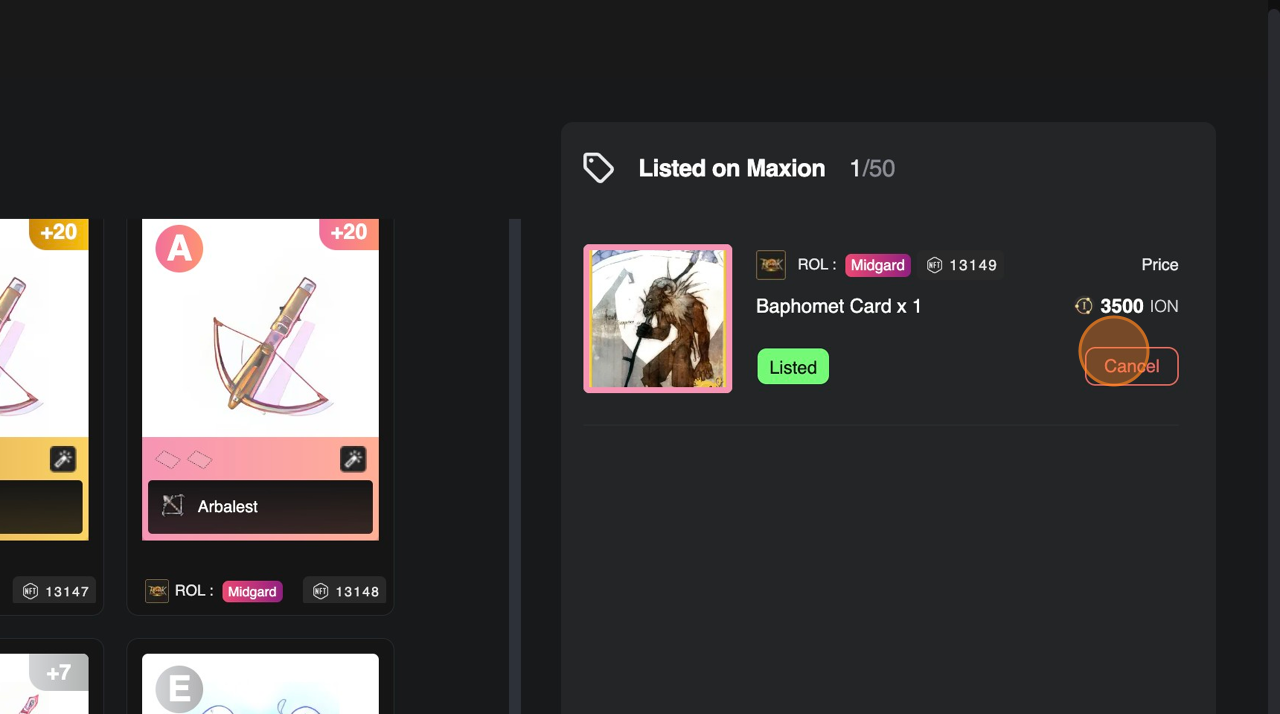
* All listed item can be cancelled by clicking the \[Cancel Listed] Button.
<figure><img src="https://content.gitbook.com/content/rLJoho6XDiaRSq8H6gy3/blobs/k4vY6vLyH9QIkEu2PVTL/Listanitemforsaleonadigitalmarketplace_PDF_2024-06-08094249.371802.pdf-image-012.png" alt="" width="563"><figcaption></figcaption></figure>