> For the complete documentation index, see [llms.txt](https://maxion-1.gitbook.io/ragnarok-landverse-america/llms.txt). Markdown versions of documentation pages are available by appending `.md` to page URLs; this page is available as [Markdown](https://maxion-1.gitbook.io/ragnarok-landverse-america/other-information/fixing-patcher-download-issues.md).
# Fixing Patcher Download Issues
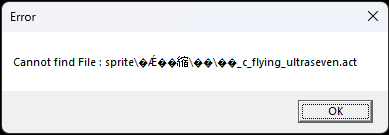
Troubleshooting Guide: Fixing Patcher Download Issues and Foreign Language Notifications
Foreign language notifications
If you're experiencing difficulties with the Patcher not downloading patches correctly and displaying foreign language notifications, follow these steps to troubleshoot and resolve the problem:
**Step 1**
Windows 11 icon
Click on the Windows 11 icon.
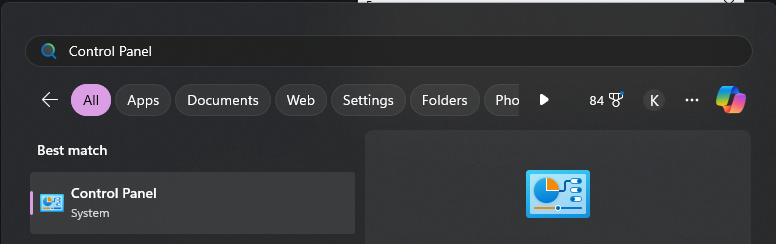
**Step 2**
Type "Control Panel" in the Windows Search Box and click on "Control Panel" from the search results.
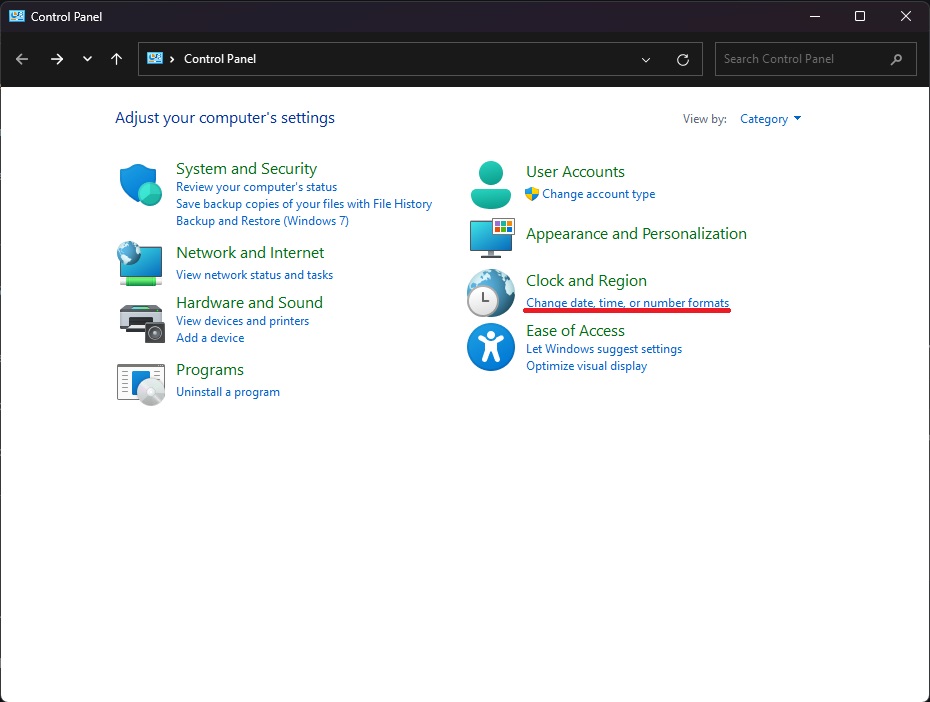
**Step 3**
In Control Panel, click on "Change date, time, or number formats" (located above the red line in the image).
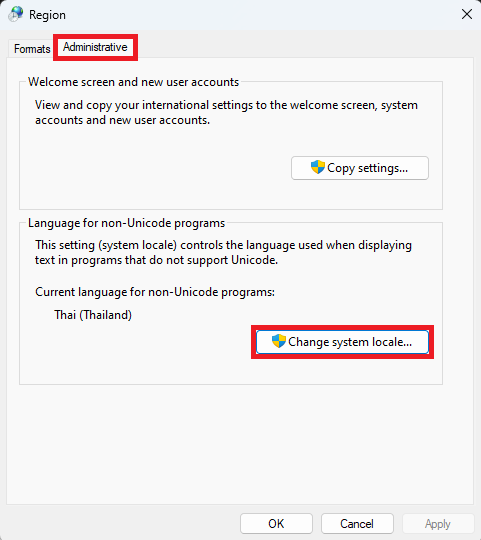
**Step 4**
Navigate to "Administrative" and then click on "Change system locale..."
**Step 5**
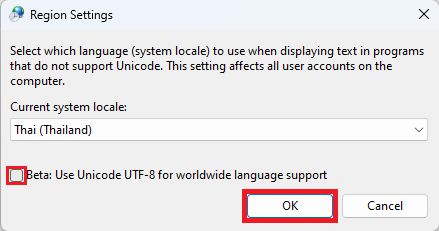
Uncheck the box next to "Beta: Use Unicode UTF-8 for worldwide language support" (ensure there's no checkmark) and Click "OK" and restart your PC.
Following these steps should resolve the issue with the Patcher, allowing you to enjoy Ragnarok Landverse without interruptions.