> For the complete documentation index, see [llms.txt](https://maxion-1.gitbook.io/ragnarok-landverse-america/llms.txt). Markdown versions of documentation pages are available by appending `.md` to page URLs; this page is available as [Markdown](https://maxion-1.gitbook.io/ragnarok-landverse-america/game-guide/minting-systems.md).
# Minting Systems
## Minting Systems
Welcome to Ragnarok Landverse ! This guide is here to help new players understand the Minting System, a special feature that allows you to trade in-game items on an external Marketplace website. Let's get started!
### What is Minting?
In Ragnarok Landverse, "Minting" is the process of converting your in-game items into digital assets that can be traded on a dedicated Marketplace website. This system facilitates secure and organized trading among players.
### Currency: ION and USDC
The in-game currency for the Marketplace is **ION**. Each ION coin is directly pegged to USDC (USD Coin) at a 1:1 ratio. ION can be used to buy items from the Marketplace or exchanged for Moonstones.
### How to Mint an Item
Follow these steps to mint your items:
#### Step 1: Meet the Requirements
Before minting an item, ensure you meet the following requirements:
1. **Minting Cost:**
* You can choose one of the following payment options per item you want to mint:
* **100 Moonstones** (available in the Cash Shop).
* **1,000,000 Zeny** (can be used as an alternative to Moonstones).
2. **VIP Membership:**
* Only players with **VIP Member** status can access the Minting System.
Once you meet these requirements, you can proceed with the minting process.
#### Step 2: Find the Mint Helper NPC
Locate the NPC named **Mint Helper** in the game. This NPC will assist you with the minting process.
#### Step 3: Minting the Item
1. **Interact with Mint Helper**: Talk to the Mint Helper NPC to initiate the minting process.
2. **Select 'Mint'**: When prompted, choose the option to 'Mint' your item.
3. **Confirm and Pay**: Confirm the item you wish to mint and pay the fee of 100 moonstones.
#### Step 4: Upload to the Marketplace
Once you complete the minting process, your item will be uploaded to the Marketplace website. You can now list it for sale or trade it with other players.
### Benefits of the Minting System
* **Security**: Trade items securely without the risk of scams.
* **Accessibility**: Browse and purchase items from other players with ease.
* **Community Engagement**: Connect with the broader Ragnarok Online community through a centralized trading platform.
## **A Simple 5-Step Guide to Mint Your Items**
**Step 1**\
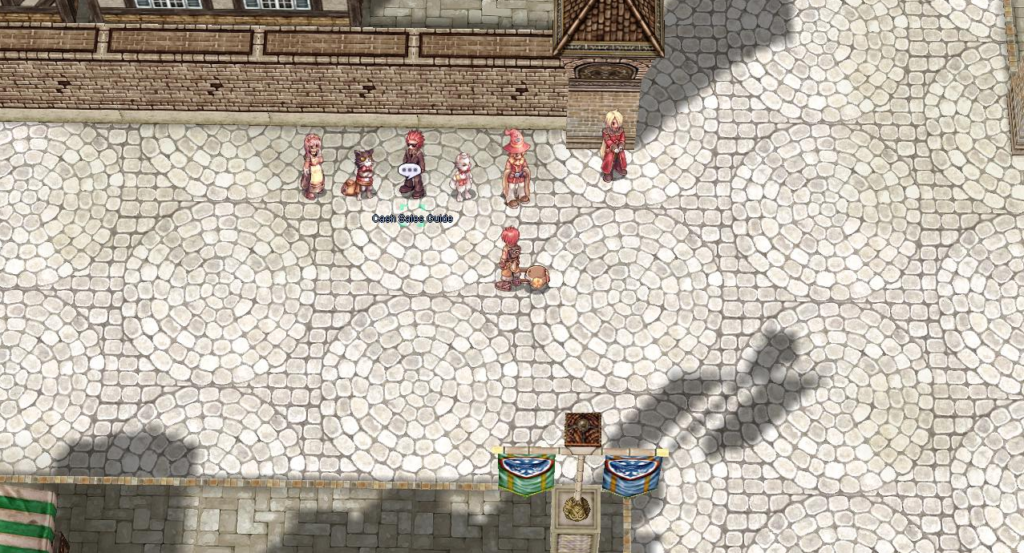
**Navigate to Prontera:** Head over to the coordinates **`139, 124`** within the game world.
Cash Sales Guide
**Step 2**\
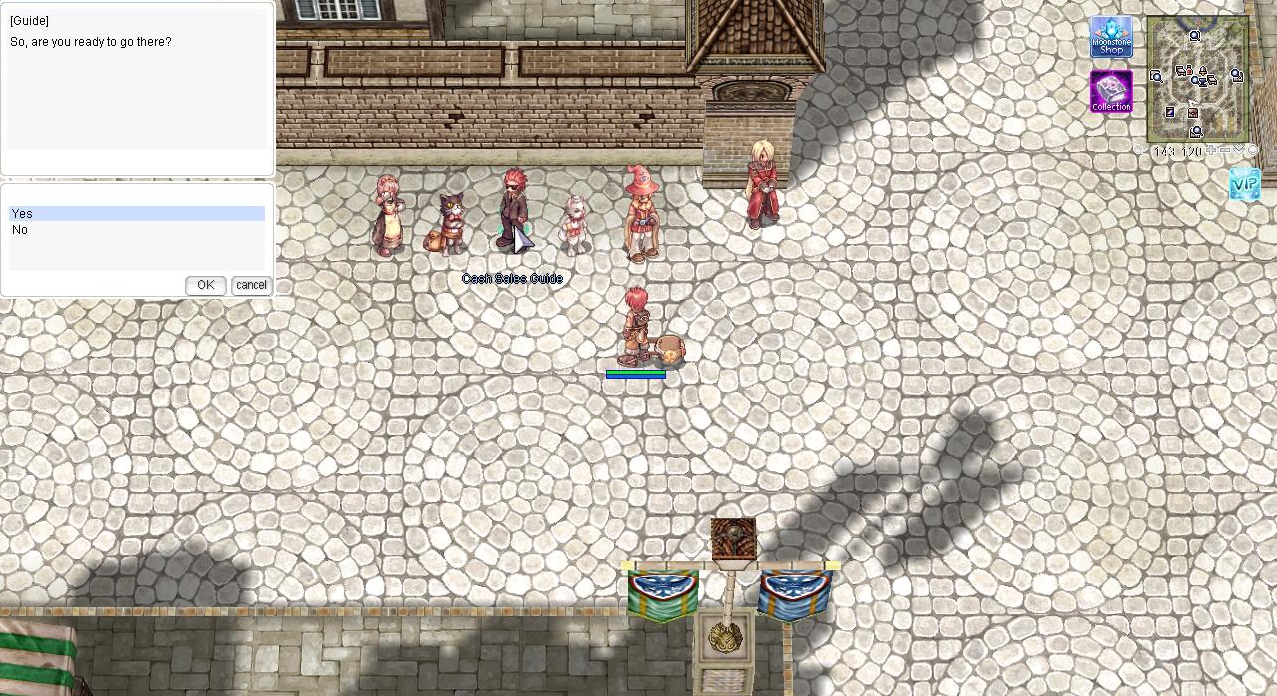
**Interact with the Cash Sales Guide NPC:** Once you’re in Prontera, find the NPC named Cash Sales Guide and choose the option to “Enter Kafra Shop.
Enter Kafra Shop.
**Step 3**\
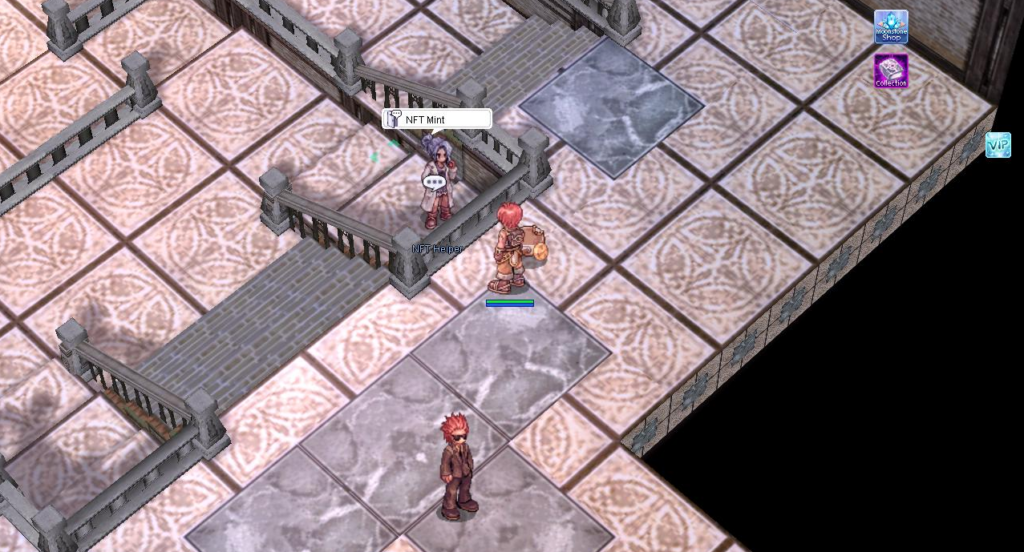
**Meet the Mint Helper:** Inside the Kafra Shop, you’ll find another NPC called Mint Helper.\
This is where you’ll select which item you’d like to mint.
(To mint each item, a fee of 100 Moonstones and VIP is required.)
Mint Helpers
Mint Inventory
**Step 4**\
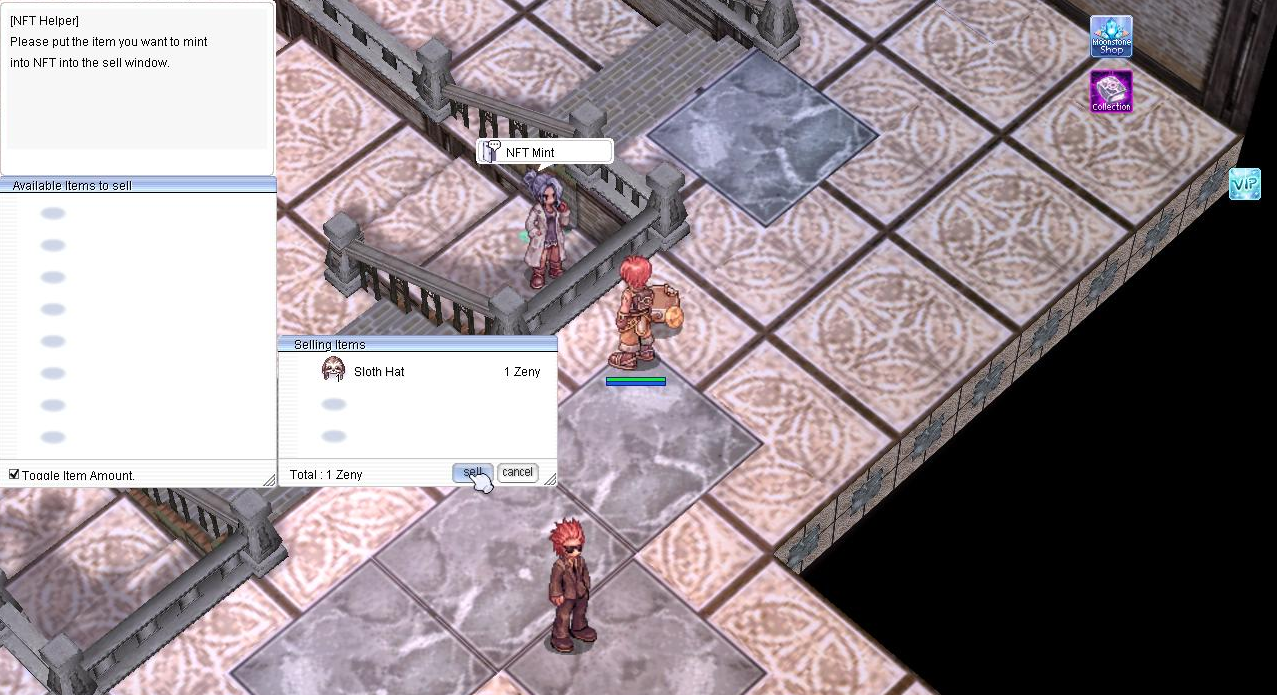
**Mint Your Item:** Choose your desired item and click the “Sell” button.\
This will transfer the item to the online platform.
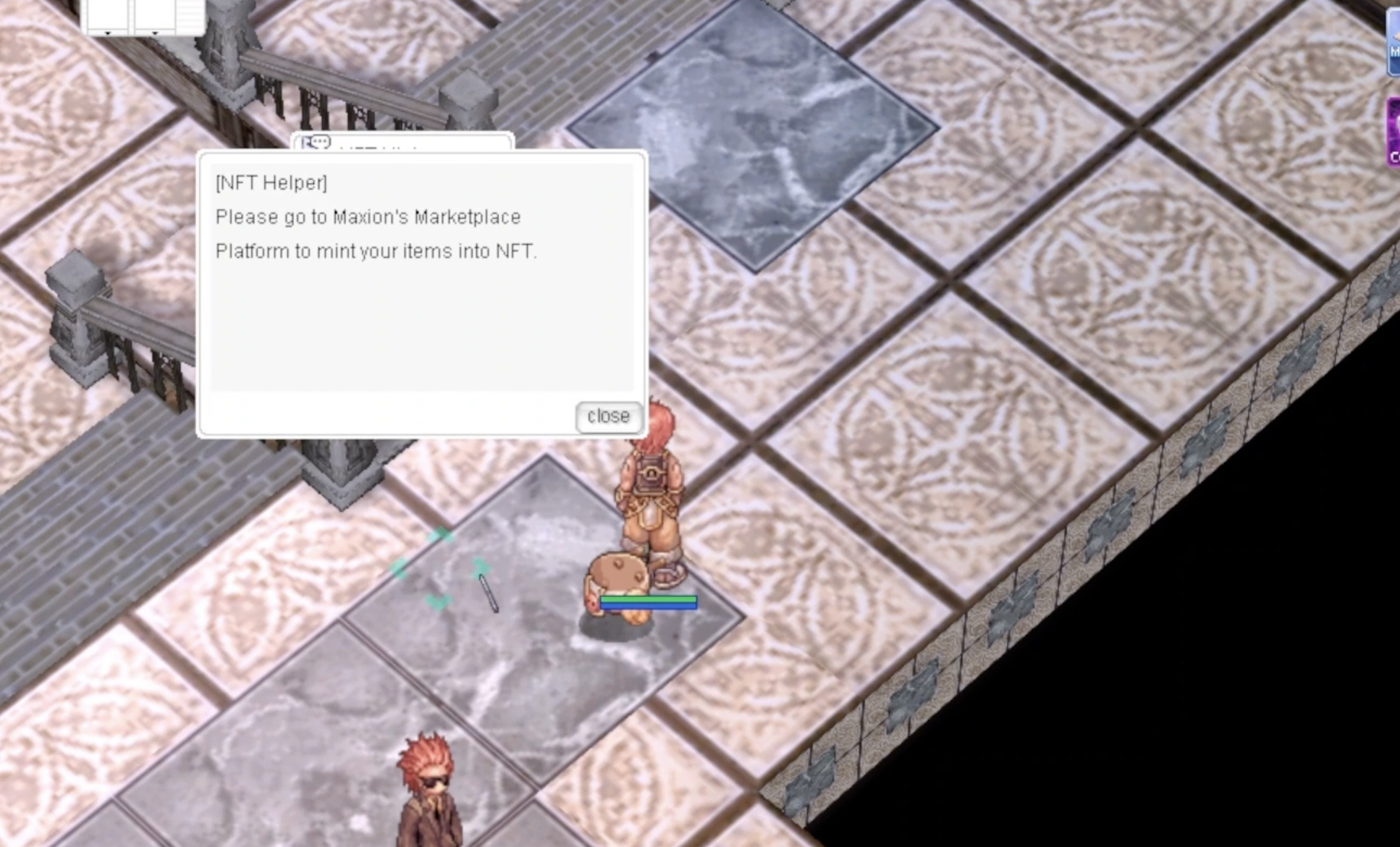
NFT Helper
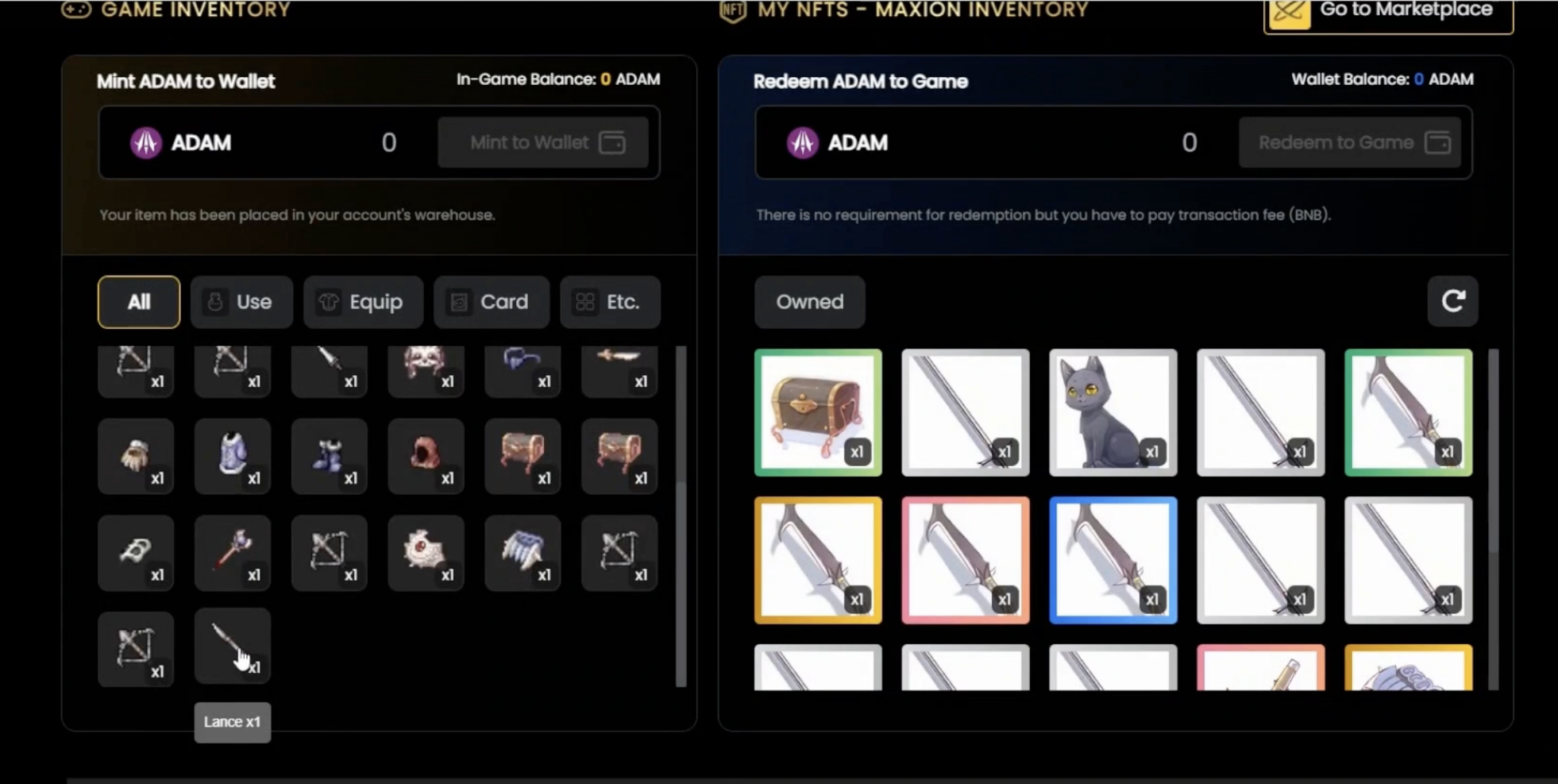
Market Place
**Step 5**\
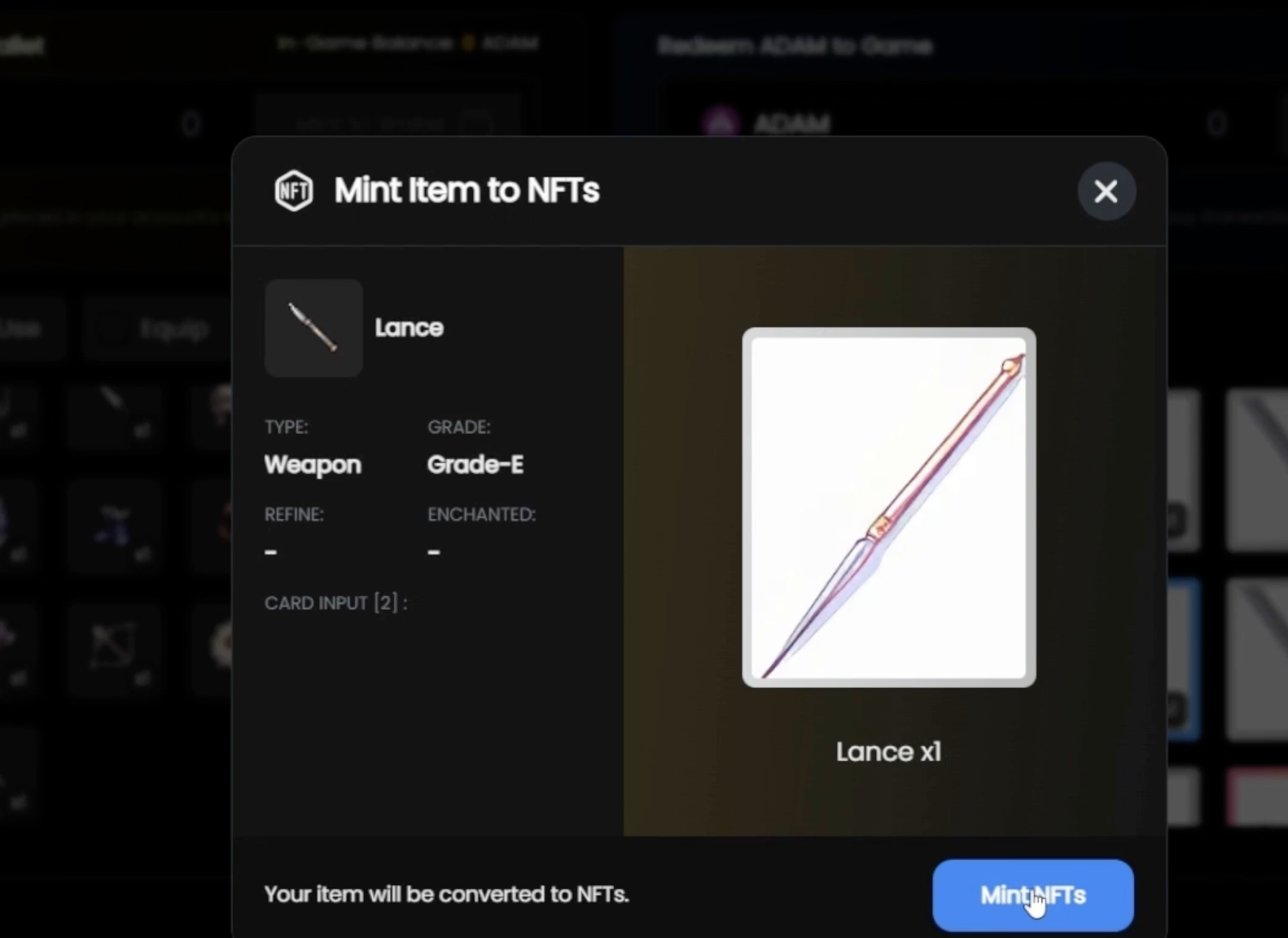
**Check Your Minted Items Online:** Once the item is minted in-game, it will become available on the website.\
You can then opt to “Mint from Web” to list it on the marketplace.